
How to add a team member and assign a role
Give someone access to a store and set what they can do there, so the right people can work at the location while their role keeps their access in bounds. This is for store managers and admins who staff a location's team.
Before you start
- Where: Store-level — the Team page inside a store
- Permission: Manage Team
- Available by default to: Owners and Store Managers. (On custom roles, this needs the permission named above.)
- You must: Decide which role the person needs — the role controls what they can see and do. To pick an existing company member, you also need the Manage Team permission (otherwise only the invite-by-email option appears).
Add a new person by email
- In the store sidebar, open Team. The current store team list opens.
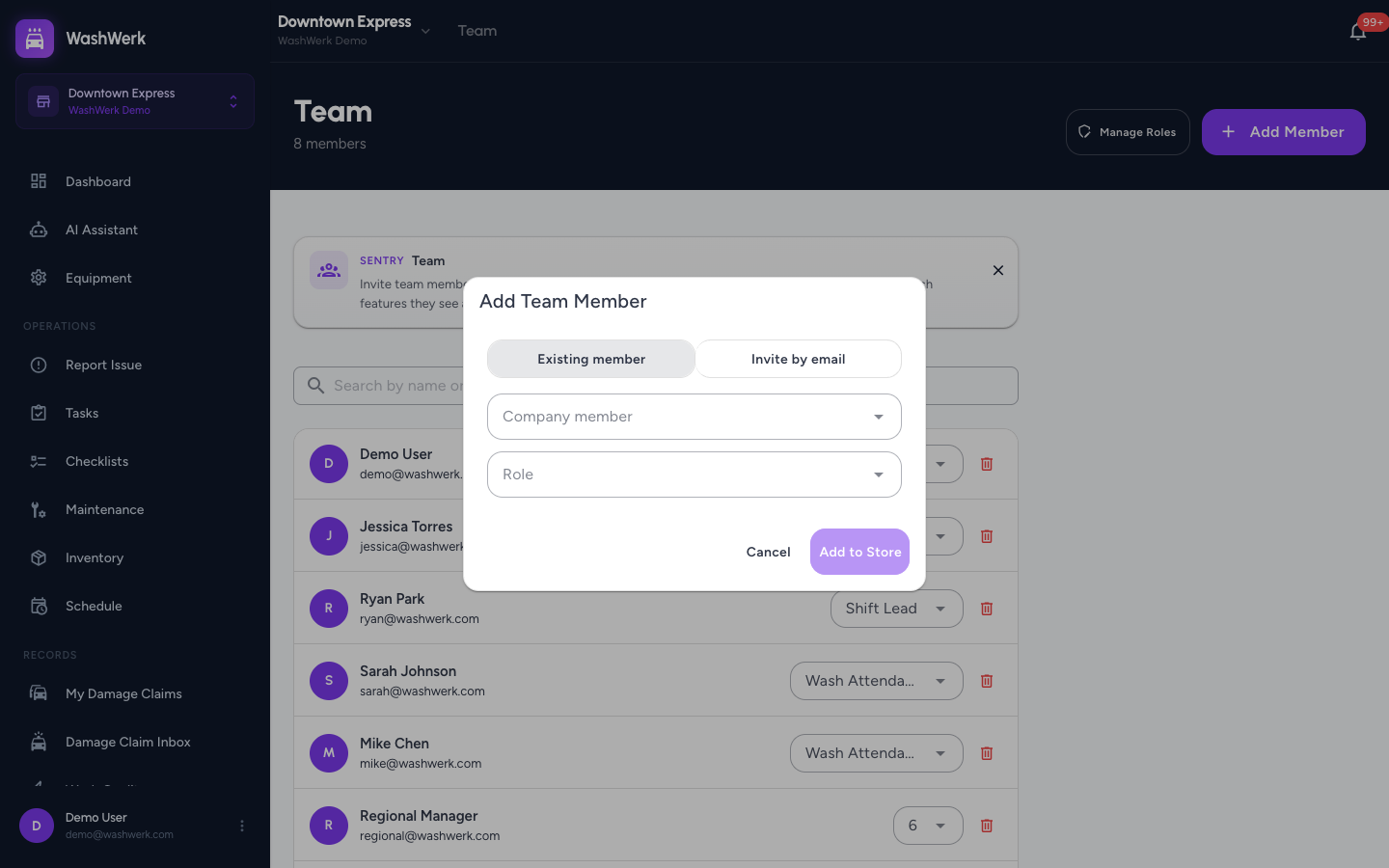
- Select Add Member in the top right. The Add Team Member dialog opens.
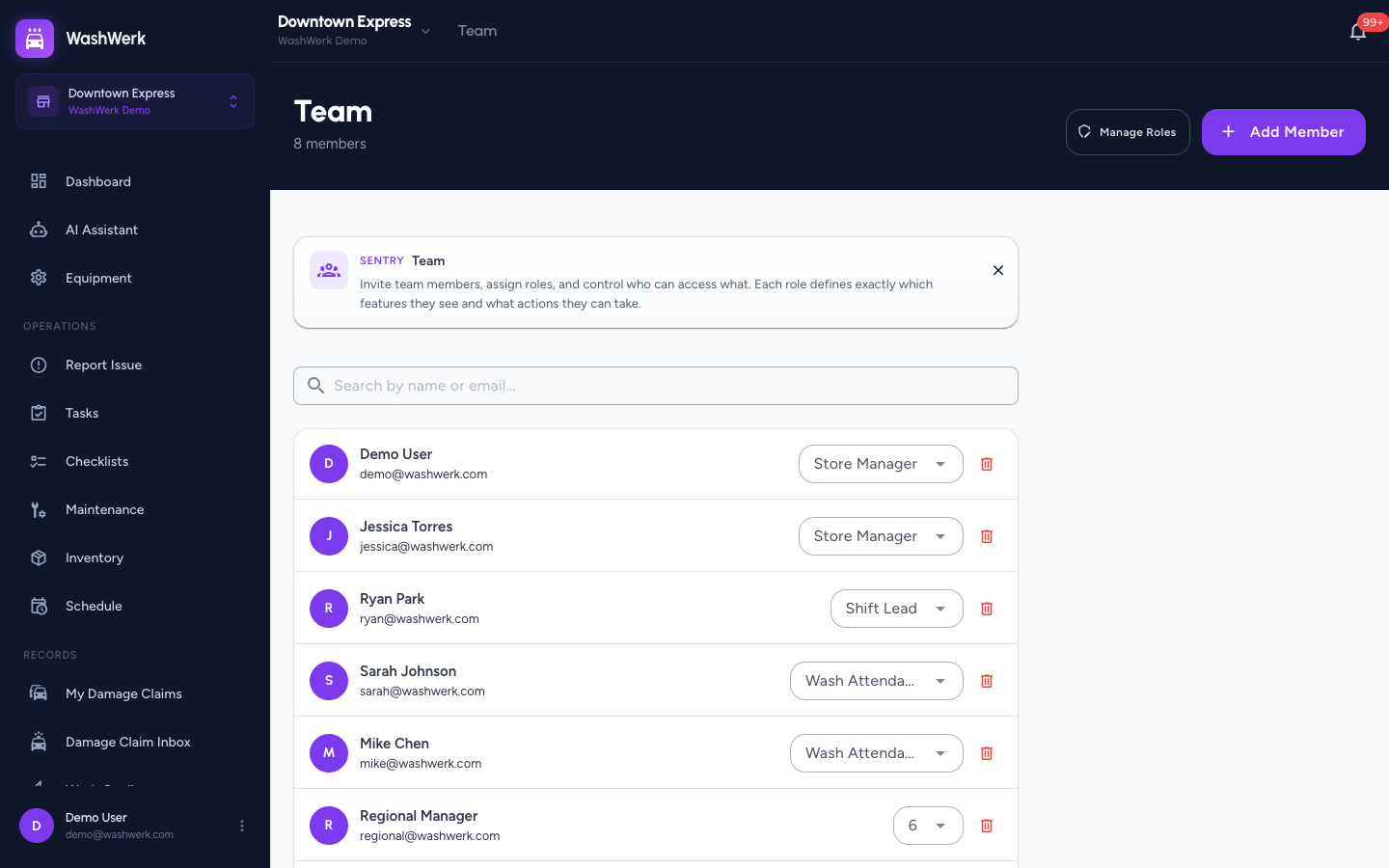
- If you see a mode toggle, select Invite by email.
- Enter the person's Email address, and optionally their Name.
- Choose a Role from the dropdown.
- Select Send Invite. The person is added to the store and emailed an invitation to set up their account.
Add an existing company member
Use this when the person already belongs to your company and you just need them on this store — it avoids creating a duplicate account.
- On the Team page, select Add Member.
- In the dialog, select Existing member. This option appears only when there are company members not yet on this store.
- In the Company member field, search by name or email and select the person.
- Choose a Role.
- Select Add to Store. The member appears in the store team list with the role you chose.
Change a member's role
- On the Team page, find the member and pick a new role from the role dropdown next to their name. The change saves immediately.
Remove a member from the store
- On the Team page, select the trash icon next to the member's name. A confirmation dialog opens.
- Select Remove. The member loses access to this store and is emailed that their access was revoked.
Search the team list
- In the Search by name or email box above the list, type any part of a name or email to filter the members shown.
Expected result
The person appears in the store Team list with their assigned role. Newly invited people receive an email to finish setting up their WashWerk account; existing members get access immediately.
Troubleshooting
- If you don't see the Add Member button: Your role doesn't include the Manage Team permission. Ask an owner or company admin to grant it, or to add the member for you.
- If the Existing member option is missing: Either every company member is already on this store, or your role doesn't include the Manage Team permission. Use Invite by email instead.
- If the role you want isn't in the dropdown: In Simple mode only the default store roles and any custom store roles appear. Build a custom role first — see the guide below.