
How to order stock from a warehouse
Request supplies from one of your company's warehouses so stock is sent to your store instead of ordered from an outside vendor. This guide is for store managers, shift leads, and attendants who run the floor and notice something is running low.
Before you start
- Where: Store-level — Transfer Orders in the sidebar (under Operations), or More → Transfer Orders on mobile.
- Permission: Create Inventory Transfers
- Available by default to: Owners, Store Managers, Shift Leads, and Wash Attendants. (On custom roles, this needs the permission named above.)
- You must have: At least one active warehouse in your company. If your company has none, an owner or company admin must add one first.
Place an order
- Open Transfer Orders, then select Order from warehouse.
- Select the Source warehouse you want the stock to come from. Its catalog loads. If your company has exactly one warehouse, WashWerk selects it for you.
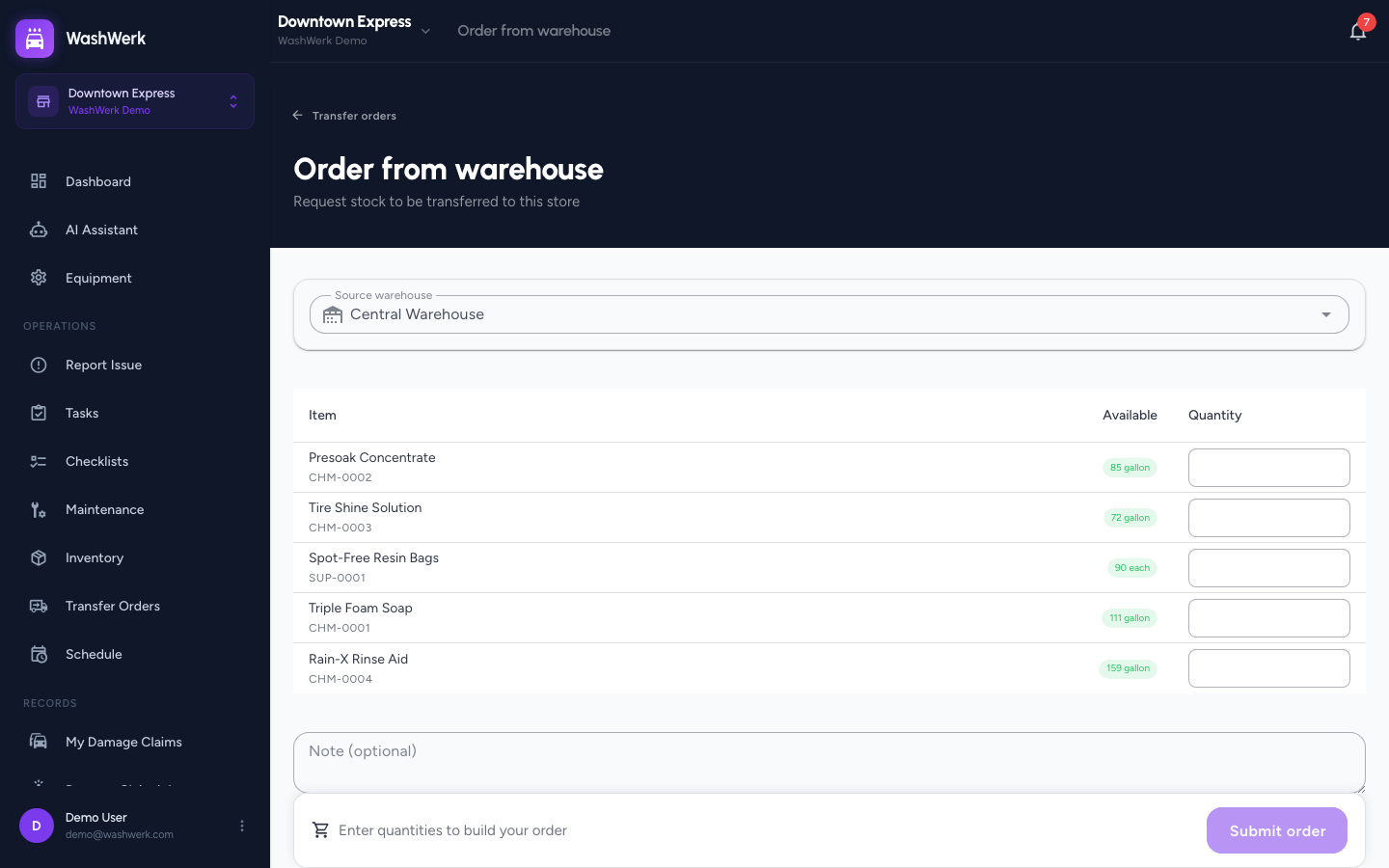
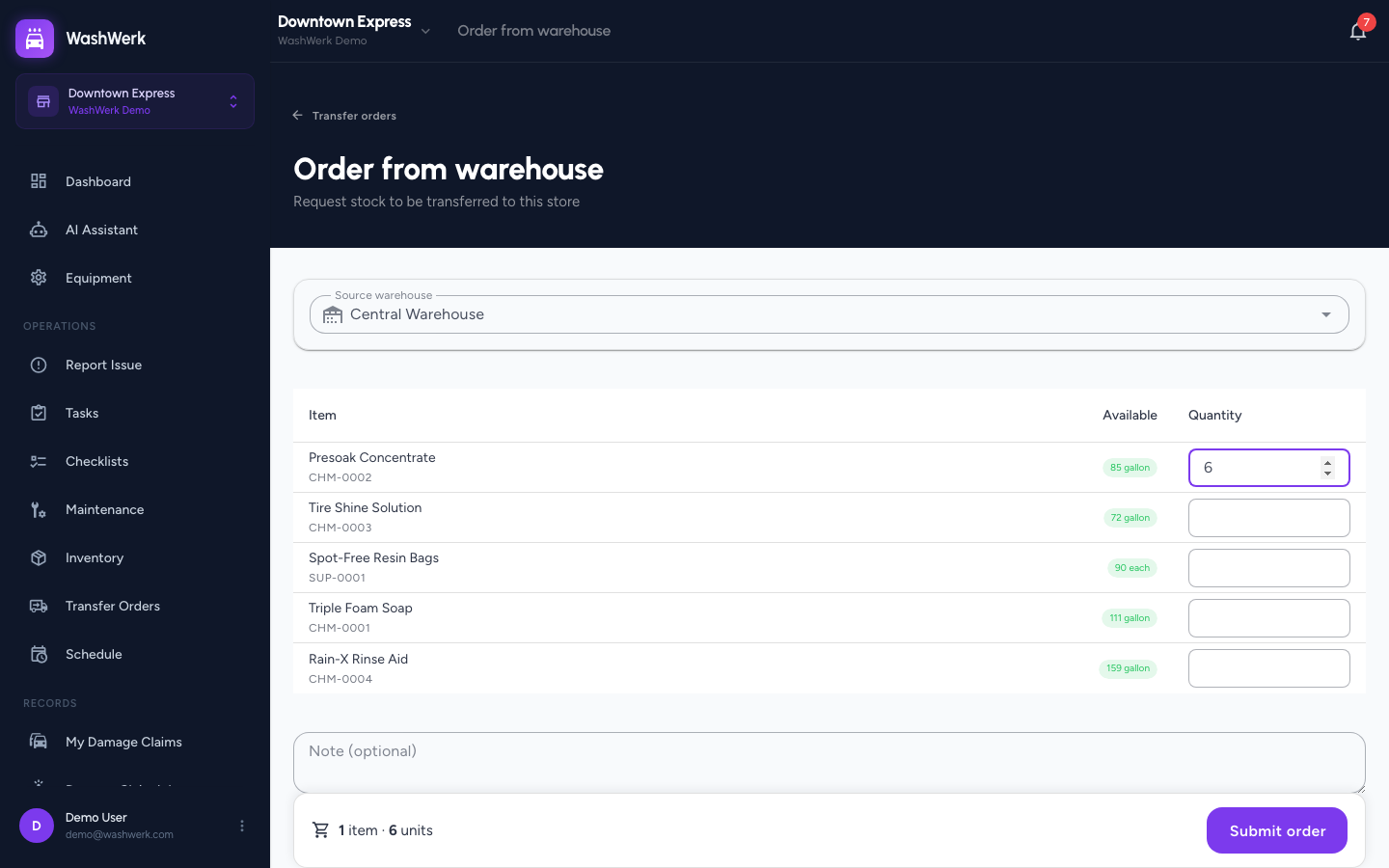
- Enter a Quantity for each item you need. The Available chip next to each item shows how many units the warehouse can still promise you — its on-hand stock minus what it has already committed to other stores' open orders.
- Optional: Add a Note — for example, "Needed before the weekend rush."
- Check the summary bar at the bottom of the page, which counts the lines and units you're about to request, then select Submit order.
Expected result
A confirmation reads Transfer #N requested and WashWerk returns you to the Transfer Orders list with the new order at the top. You automatically follow the order, so you'll be notified as it's accepted, shipped, and delivered.
If your company doesn't require warehouse approval, the order is accepted the moment you place it and goes straight to the warehouse's shipping queue.
Order more than the warehouse has on hand
What happens when you ask for more than the Available figure depends on a company setting your owner controls.
- When out-of-stock ordering is turned off (the default): the quantity is flagged, Submit order stays disabled, and a Follow button appears on the line. Reduce the quantity to submit now, or follow the item to be notified when the warehouse restocks it.
- When out-of-stock ordering is turned on: the line is still flagged so you know it's short, but you can submit. The order waits at the warehouse until stock arrives.
To change which behaviour applies, see How to configure transfer rules and statuses.
Add to an order you already placed
If you submit a second order to the same warehouse while your first one is still waiting to be accepted, WashWerk merges the new lines into that pending order rather than creating a duplicate. The confirmation reads Added to your pending request, and the order's history records what you added.
Cancel an order before it ships
- Open the order from the Transfer Orders list, select Cancel order, then confirm. The order moves to Cancelled and the warehouse stops preparing it.
Cancelling is only possible while the order is still Requested or Accepted. Once the warehouse ships it, the stock is already on the road — receive the delivery, then adjust your stock afterwards. If the warehouse ships only part of the order and can't send the rest, close the remainder short instead.
Troubleshooting
- If the Order from warehouse button is missing: Your role doesn't include the Create Inventory Transfers permission — ask an owner or manager to grant it.
- If the warehouse list is empty: Your company has no active warehouse, or the ones it has were deactivated. Ask an owner or company admin to check the Warehouses page.
- If you see "No catalog items": The warehouse doesn't stock anything yet. Its staff need to add stock before your store can order from it.
- If a submitted order says an item isn't in the warehouse catalog: The warehouse doesn't carry that item and your company doesn't allow off-catalog requests. Ask the warehouse to stock it, or order it from a vendor instead.