
How to handle in-app tips and milestone nudges
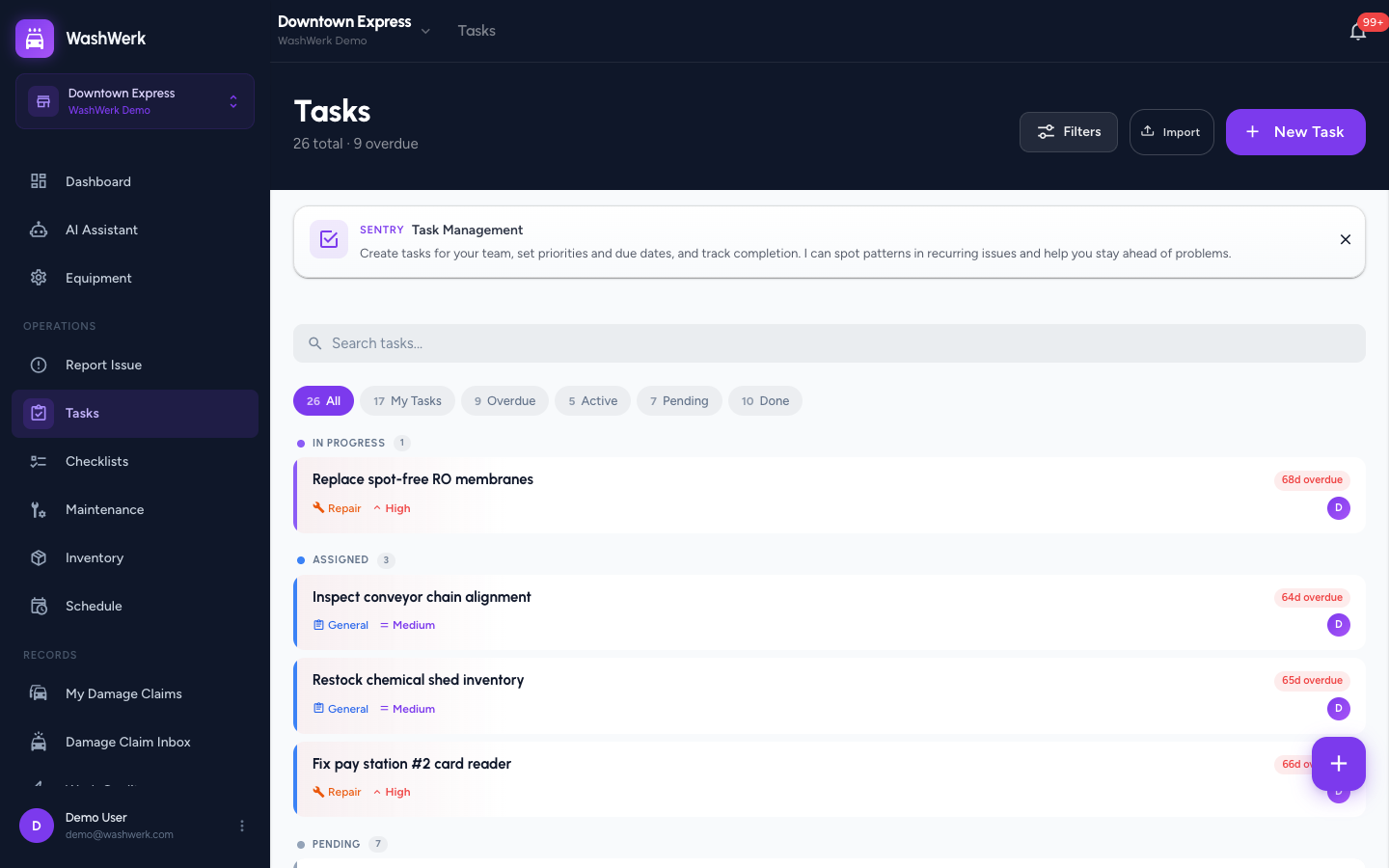
WashWerk's built-in assistant, Sentry, shows short cards to introduce a feature the first time you open it and to nudge you when you hit a milestone. Dismiss each card to clear it from your pages for good, so a tip you've already read stops getting in your way — useful for any store user who finds the prompts distracting.
Before you start
- Where: Store-level — these cards appear on store pages such as the dashboard, Tasks, Checklists, Maintenance, Equipment, and Inventory.
- Permission: No special permission needed. You only see cards for features your role can access.
- You must have: Signed in to a store. Cards are tied to your account, so dismissing one on one device dismisses it everywhere you sign in.
Dismiss a feature-intro card
A feature-intro card appears once at the top of a page the first time you visit it. It has a purple left edge and the Sentry label.
- On the card, select the X (close) button in the top-right corner. The card disappears.
Once dismissed, that page's intro card does not return — WashWerk records that you have seen it.
Dismiss a milestone nudge
A milestone nudge appears when you reach a usage milestone on a page. It looks like a feature-intro card but has an orange left edge.
- On the nudge, select the X (close) button in the top-right corner. The nudge disappears and will not show again.
Expected result
The card or nudge closes immediately and does not reappear on your next visit, on any device where you sign in.
Troubleshooting
- If a card comes back after you dismissed it: your dismissal may not have saved if you were offline. Reopen the page while connected and dismiss it again.
- If you never see any tips: you have already dismissed them, or your role does not have access to that feature. Cards only appear for features your permissions allow.
- If a different card appears on a page you have already visited: that page can show more than one card over time — a one-time intro and, separately, a milestone nudge. Dismiss each one as it appears.